> For the complete documentation index, see [llms.txt](https://book.just.money/jmguide/llms.txt). Markdown versions of documentation pages are available by appending `.md` to page URLs; this page is available as [Markdown](https://book.just.money/jmguide/justmoney-swap/token-listing/self-listing/custom-token-import.md).
# Custom Token Import
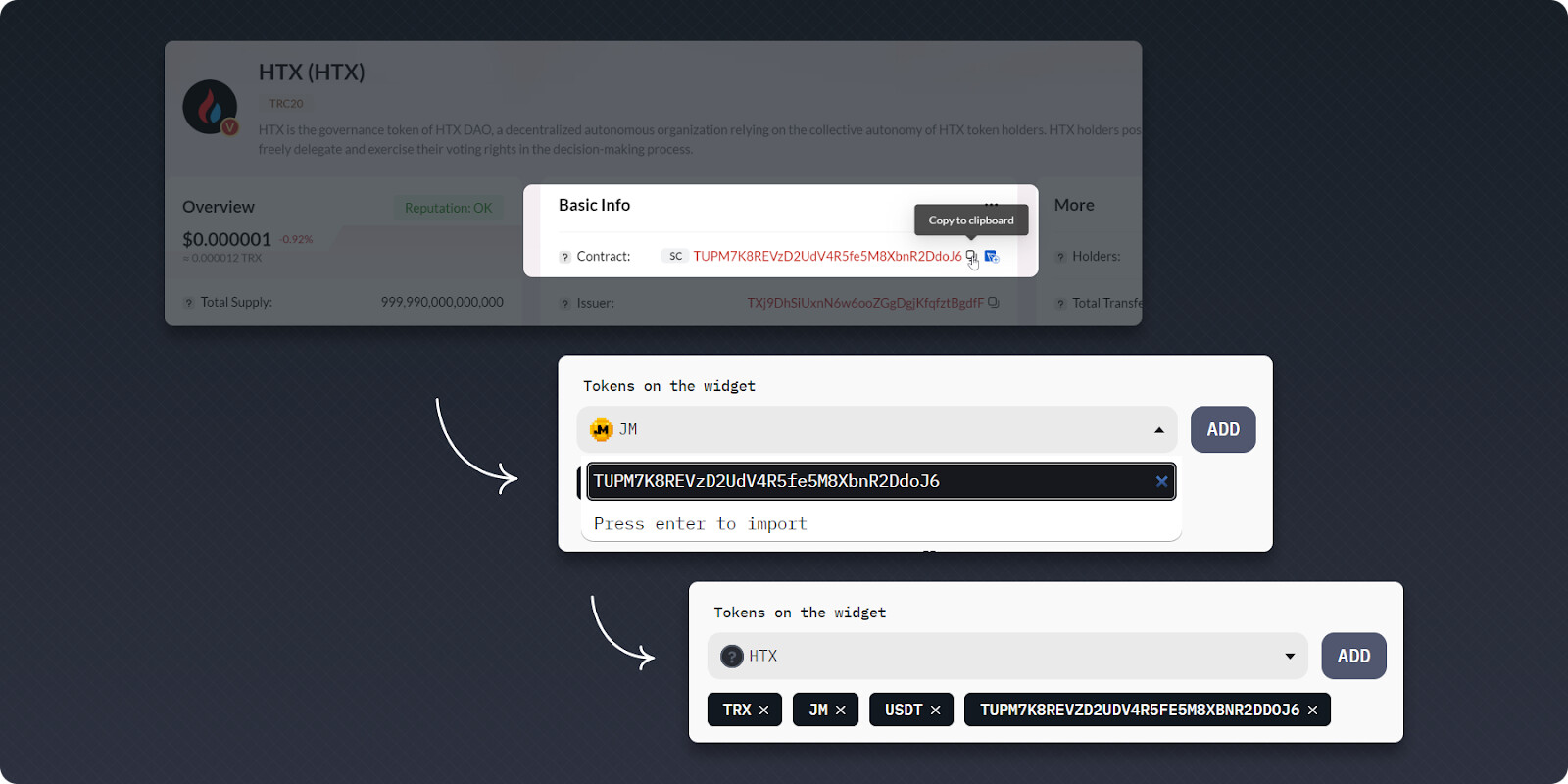
1. **Importing custom tokens manually on the** [**widget builder**](https://widget-builder.just.money/)
Paste the token address to the widget builder to include non-listed tokens on the widget.
2. **Auto-import custom token with a link on JustMoney Swap**
Projects and users can conveniently distribute a direct link, for instance, via their Telegram channel, that leads to a dedicated page where their token can be swapped. This functionality is available even for tokens that are not officially listed on our swap platform.
3. **Self listing a custom token on JustMoney Swap**
{% embed url="" %}
DEMO video
{% endembed %}